

How to Become a Gimkit Host and Run Engaging Classroom Games
Jul 13, 2026 | By Nguyen Minh
 Follow us
 Follow us
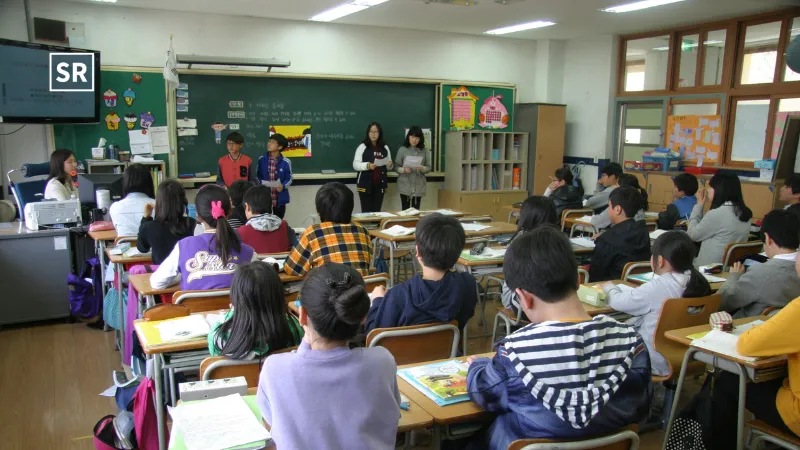
Teaching is more enjoyable and effective when students take part in lessons instead of just listening. Gimkit is an online learning platform that turns quizzes into fun educational games. A Gimkit host is the teacher or person who creates, starts, and manages these live games for students.
Whether you are using Gimkit for the first time or you are an experienced teacher, learning how to host a live Gimkit game can help increase student participation and make lessons more enjoyable. You can create a Gimkit account, build your own question sets, and start live game sessions with ease.
Gimkit also helps you track your students' progress and see how they performed after each game. This guide explains each step in an easy way, so you can confidently host fun and interactive Gimkit games in your classroom or during online lessons.
Who Is a Gimkit Host?
A Gimkit host is the person who creates and manages a live game on the Gimkit platform. In most cases, the host is a teacher, tutor, instructor, or anyone who wants students to learn through fun classroom quizzes.
The host uses the Gimkit dashboard to control the entire game. They can:
- Create or choose a question set
- Select a game mode
- Start and end the game
- Track student progress during the game
- View reports after the game
- Change game settings when needed
Unlike regular quiz platforms, Gimkit makes learning more exciting by adding virtual money, power-ups and friendly competition. Students earn rewards for correct answers which keeps them interested and motivated throughout the game.

The Gimkit dashboard also gives hosts full control during live sessions. Teachers can pause the game, add more time, check the live leaderboard, or even join the game as a player or watch as a spectator when needed.
By combining learning with fun game features, Gimkit has become a popular tool for teachers and classrooms around the world.
How to Create a Gimkit Account
Before you can host your first Gimkit game you need to create an account. The process is quick and easy.
Follow these simple steps:
- Visit gimkit.com/signup.
- Choose the Educator account option.
- Enter your email address.
- Create a strong password.
- Verify your email address.
- Log in to access your Gimkit dashboard.
After creating your account, you can start exploring the platform right away.

When you sign up as an educator, you will automatically get access to the Gimkit Basic (free) plan. This lets you use the main features before deciding whether to upgrade.
After logging in, take a few minutes to explore these sections:
- Dashboard
- Kit (quiz) creation tools
- Game modes
- Assignment features
- Reports and student progress
- Classroom management options
Getting familiar with these features will make it easier to set up and host your first Gimkit game.
How to Host a Live Gimkit Game
After creating your question set (Kit), you are ready to host a live Gimkit game.
Follow these simple steps:
- Open the Kit you want to use.
- Click the Play Live button.
- Choose a game mode.
- Adjust the game settings if needed.
- Generate the game code.
- Share the game code with your students.
- Ask students to join by visiting gimkit.com/join and entering the code.
- Make sure all students have joined.
- Click Start Game to begin.
Once the game starts, students answer questions to earn virtual money. They can use their earnings to buy upgrades and power-ups, making the game more fun and interactive.
The friendly competition keeps students engaged while helping them stay focused on learning.
You can host Gimkit games in different learning environments including:
- In-person classrooms
- Online classes
- Hybrid classrooms
- Small group activities
- Large classroom or lecture sessions
This flexibility makes Gimkit a great learning tool for almost any teaching situation.
Gimkit Basic vs. Gimkit Pro
Gimkit offers two plans: Gimkit Basic and Gimkit Pro. The free Basic plan includes the main features you need to create and host quizzes, while the Pro plan unlocks additional game modes and advanced tools.
| Feature | Gimkit Basic | Gimkit Pro |
| Create and manage Kits | ✅ Yes | ✅ Yes |
| Host live games | ✅ Yes | ✅ Yes |
| Featured game modes | Limited | Full access |
| Pro-exclusive game modes | ❌ No | ✅ Yes |
| Advanced features | Limited | ✅ Available |
| Free trial | Included | 14-day free trial |
RECOMMENDED FOR YOU



If you are new to Gimkit, the Basic plan is a good place to start. You can upgrade to Gimkit Pro later if you need more game modes and advanced features for your classroom.
How Can You Make Gimkit Games More Engaging?
Hosting a Gimkit game is not just about asking questions. A little planning can make the game more fun and help students learn better. By using different activities, keeping students involved, and reviewing their progress, you can create a more enjoyable learning experience.
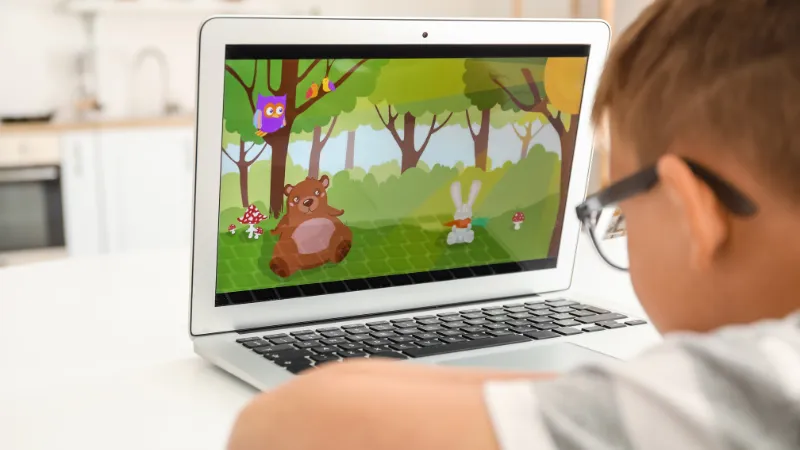
Here are some simple tips to improve student engagement:
- Use a variety of questions. Include easy, medium and challenging questions to keep students interested.
- Choose the right game length. A shorter game is often more exciting and helps students stay focused.
- Review results after each game. Look at student reports to find topics that may need more practice.
- Try different game modes. Changing game modes regularly keeps each session fresh and enjoyable.
- Include team activities. Let students work together so they can share ideas and learn from each other.
- Recognize every student's progress. Praise students for improving their scores and participating not just for finishing first.
Bottom Line
Hosting a Gimkit game is a simple way to make lessons more fun, interactive, and engaging for students. From creating an account and building question sets to hosting live games and tracking student progress, Gimkit provides teachers with helpful tools for both classroom and online learning. Whether you use the free Gimkit Basic plan or upgrade to Gimkit Pro, you can choose different game modes, create interactive quizzes and encourage active student participation. With a little practice, you can confidently host Gimkit games that make learning more enjoyable while helping students stay motivated and improve their understanding.
FAQs
How do I become a Gimkit host?
Is a Gimkit account free?
How do students join a Gimkit game?
Can I host Gimkit games for online classes?
Can I create my own quiz questions in Gimkit?
Why do teachers use Gimkit?
Does Gimkit provide reports after a game?
Recommended Stories for You
Startuprise Jun 29, 2025

Yan li Mar 23, 2026

Yan li Oct 28, 2025

Yan li Mar 2, 2026

Trending Stories

Franchise business in Vietnam 2025

Motherhood Malaysia’s – Leading Parenting & E-commerce Platform

How to Start an E-Commerce Business in Singapore: A Complete Guide

New Software Wuvdbugflox Overview: A Modern Tool for Smarter Workflows and Productivity

5 Best MBA Programs for Tech Jobs

How to Calculate Overtime Pay in Malaysia: A Step-by-Step Guide

Autohome Aims to Revolutionize Car Buying Worldwide with AI

Zero-cost, No-code Checklist for Pre-launch Startups: Build Your Dream Business with Zero Investment