
7 Best AI Video Generators for Creators, Marketing Teams, and Video Professionals in 2026
Sep 21, 2026 | By Startuprise
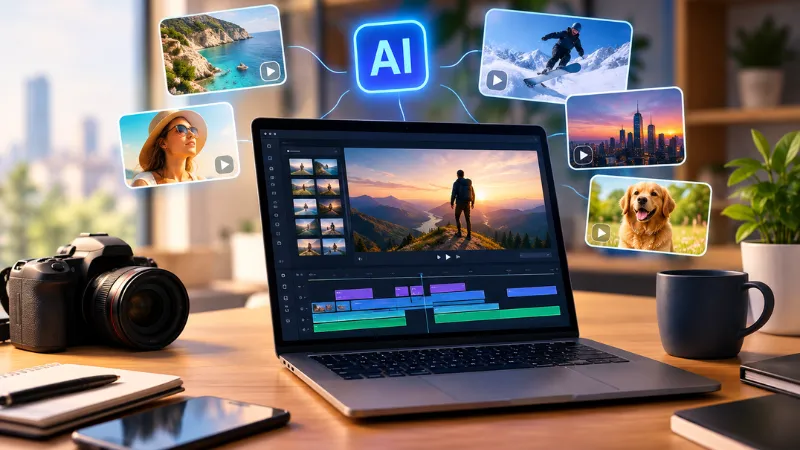
The technology for generating AI video clips has come a long way and now surpasses the simple text-to-video experiments. In 2026, creators will be able to use AI video generators that take prompt and image input and output a video clip. They may also be used for generating social content marketing materials, marketing variations, developing storyboards, and even speeding up the production workflow.
 Follow us
 Follow us
Of course, this is the case only if these tools are the most suitable ones for us. A content maker who shares on social media might be more interested in having fast, templated creations while a marketing team could be focussed on their commercial use, ability to repeat a process, and generation of multiple versions. Video professionals may want to focus on a set of tools like control, consistency, resolution, various models, and suchlike.
The list below contains seven good AI video tools to consider in the coming years. A comprehensive tool that is the only way to get a variety of different services that can be used on a single platform is Magic Hour.
1. Magic Hour
The magic hour is a top choice for people who do their best through the combination of video, text, image, etc., and need a wide array of capabilities that are powered by one platform. The Magic Hour platform includes text-to-video, image-to-video, video-to-video, animation, lip sync, talking photos, AI-based video editing, etc. Some additional features are video upscaling, UGC ad creation, video translation, music videos, and video production in general, etc.
RECOMMENDED FOR YOU



Creators looking to try out various methods without being tied to just one generation method workflow might find, for instance, Magic Hour AI video generator to be a good starting point. The company also provides templates, fast variations, and simultaneous generations, which when starting off with one concept and exploring different creative ways to build that, could be quite handy.
What makes Magic Hour different is that besides the one generation system it also allows you to use different video models. Their premium plans come with API, which the company claims will work identically to the respective plan features and usage limits.
Credit mechanism is another handy function. It is your choice to accumulate extra or not as credits are valid indefinitely. On the other hand, you can top up credits by buying packs whenever necessary. The Free plan doesn't ask for a credit card and besides that, for some of the Magic Hour tools, no-signup free trials are provided for limited periods without registering.
At the moment pricing begins from the Free plan which the company also offers as a trial version. Magic Hour's Creator plan will set you back $19 per month which becomes $12 per month when subscribed for 12 months, whilst Magic Hour's Pro version is $39 per month.
Pros: The wide set of instruments and possibilities for choosing various kinds of models, templates, the ability to do multiple generations, and also API integration make it very user-friendly, and besides, after purchasing the credits, they can be used as rollover ones, so there would not be a need for repurchasing them and the starting offer with a free version is also quite nice.
Cons: It may take a while to go through all the tools and options since there's a large number of these items and besides, you will likely come across cases where different tools have different rates of credit usage.
Best for: Authors, marketing departments, design studios, and individuals who are looking for the ability to work in a very customizable AI work space.
2. Google Veo
Google's new Veo 3.1 is a major upgrade for creators who demand generative video with a professional flair. This update provides users with the ability to generate both text-to-video and image-to-video while also offering native audio, reference images, scene extension, first and last frame generation, object insertion and removal, camera controls, and character controls.
Veo opens up a new world for filmmakers and authors who desire to have greater control over individual shots. Google gives artists the power to use Veo with products like Gemini, Flow, Google AI Studio, or the Gemini API.
Pros: Fine-grain creative controls, integrated native audio, reference-image editing workflow, and multiple formats for high-resolution output.
Cons: Access rights and pricing for Veo depend on different product APIs or Google products used.
Best for: Movie-like scenes, storytelling, previsualization, and advanced generative-video research.
3. Runway
Runway is still considered an important name for professional AI video production. Its new Gen-4.5 model supports both text-to-video and image-to-video production and provides users with the means for giving intricate instructions on camera choreography, scene composition, timing, and atmospheric changes.
This aspect is what makes Runway so special in situations where a video creator needs not a prompt-to-clip basic level workflow, but a much more powerful set of tools. Web-based interface enables the creators' work which includes development and refinement of generated shots, to get seamlessly integrated within a bigger creative workflow.
Pros: Prompting with the finest details, camera work, video generation from text and image).
Cons: Some advanced tools can only be used if you pay and creating content uses up your generation credits.
Best for: Professionals working in creative areas, visual development stage, advertising, short-form video shooting.
4. Adobe Firefly
By introducing video generation through a creative platform at large, Adobe Fireilly is taking a unique approach. The video generator within Firefly can create a clip based on text or an image and Firefly also offers access to the partner video models. Current partner models available include ones from Google, Kling, Luma Runway, and more.
Generation and creative tasks within a connected environment can be very convenient for teams who are already using Adobe's creative ecosystem.
Pros: A creative environment that is integrated, Adobe model plus partner models, suitable for Adobe users.
Cons: A larger Adobe system is typically more elaborate than a stand-alone generator.
Best for: Marketing teams, designers, agencies, and Adobe Creative Cloud users.
5. Kling
Creating visual concepts, social content, and experimental scenes are among several ways Kling's video generation can be useful.
Pros: Great for visual artists who enjoy trying out new creative techniques and making videos that are really short in length.
Cons: What features are included, what models are used, and how much you can make may change over time as the platform is developed.
Best for: Social media content creators, visual artists, those doing short-form and creative videos
6. AI Video Tools Built Into Broader Creative Platforms
You are not obligated to use a standalone video generator if you are an ordinary creator. A number of platforms are progressively integrating AI-generated content with other features like edits, images, audio tracks, etc.
A case of such integration may work in favor of a marketing department where they usually do more than one video for a campaign. Product images for instance, social media variations, voiceovers, captions, and edited versions might be all the elements in one go.
Pros: More streamlined tooling and expanded workflows.
Cons: There might be such platforms that pay more attention to their ecosystem integration and less to providing specific video-generation controls.
Best for: Departments working on repetitive marketing/content social media material
7. Specialized AI Video Generators
It also makes sense to use specialized generators when a project demands very particular content, e.g., virtual characters, speech synchronization, translating the video, or animating the images.
Better to start by identifying the real production issue, rather than being led by the feature-rich platform that has the most bells and whistles. It is possible that a tool which does one thing well will be simpler for a particular job, whereas an integrated platform will be more convenient for projects which require several different AI capabilities.
Pros: A great tool can work only one type of task with its own set of features without distraction.
Cons: When a project exceeds the scope for which the platform was meant, the user might need to get some other devices as well.
Best for: Specific production tasks and narrowly defined workflows.
How to Choose an AI Video Generator in 2026
Firstly, here are five things you need to think of when making the decision:
Generation techniques
Find out if generating video from text is the only requirement for you or there are other conversion types such as image to video, video to video or even a combination.
Artistic control
Find one that offers you the possibility of using the reference images and camera settings. Other features such as editing, consistency tools, and various control options must be checked.
Workflow
The platform should support a sequence of production phases as opposed to generating a single video clip at a time.
Cost and credits
Get info on the limit of subscriptions, charges for generating the video, policy related to carryforward or the possibility of buying additional credits.
Commercial and technical requirements
Those in commercials, marketing, or product launches will first and foremost be interested in terms of commercial use of the material, export quality, privacy measures and also API availability.
Final Thoughts
Artificial Intelligence video makers today will be used by various groups starting from single individuals posting content on social platforms all the way to business units preparing materials for campaigns and productions. There is no one-size-fits-all method of workflow.
For a user who wants not only a variety of creative tools, multiple model choices, multi-tasking, API access, and eternal credits - Magic Hour seems to be one of the best all-time tools that you can work with. On the flip side, platforms like Veo, Runway, and Firefly each bring in their own flavors which can be the right fit for particular artistic or production needs of your projects.
The answer lies in which kind of videos you make, how much creative freedom you desire,
and how often you anticipate coming up with new content.
Recommended Stories for You
Startuprise Nov 19, 2024

Startuprise Feb 18, 2026


Startuprise Mar 24, 2026

Startuprise Aug 15, 2026

Startuprise Apr 22, 2026
Trending Stories
Staff Augmentation Services: Access Top Talent Without Hiring Overhead

Tips to find a broker in Asia

The Future of Group Health Insurance: Trends and Best Practices

7 Signs You Need a Financial Advisor in Singapore

Practical Ideas to Use Custom Badges to Promote Your Business

Why Rent Car Dubai Is the Smartest Mobility Choice for Startups, Entrepreneurs, and Business Professionals

How to Choose the Right Insurance Policy When Considering 1 Crore Term Insurance
The Future of Travel CRM: What’s Next?